



What to Look for in IDEA Audit Software Before You Commit
Before evaluating any platform, audit managers need five capability checkpoints. Marketing claims look similar across every vendor. These criteria cut through that.
Checkpoint 1: Full-population testing versus sampling limits Tools that cap testing at statistical samples leave risk gaps that full-population analysis would catch. If your engagements involve high transaction volumes, confirm whether the platform tests every row or just a subset.
Checkpoint 2: Workpaper generation and carryforward automation Rebuilding workpapers each cycle is one of the most common sources of timeline drag. Check whether the tool generates workpapers from testing results automatically or whether staff still assemble them manually. Carryforward logic matters equally — prior-period structure should carry forward without rekeying.
Checkpoint 3: Risk scoring — rules-based flags versus ML-weighted scoring Rules-based tools flag what auditors already know to look for. ML-weighted scoring surfaces patterns that rules would miss. For teams running ai internal audit procedures, this distinction directly affects how much judgment work AI can support versus what still requires senior review.
Checkpoint 4: Integration with existing audit management and GL systems Idea data analysis software with no clean GL import path creates a manual data preparation step before testing even starts. Confirm which ERP and accounting system exports the tool accepts natively.
Checkpoint 5: Quality management and sign-off controls — built in versus bolted on PCAOB QC 1000, ISQM, and SQMS require documented quality management procedures. Tools that add compliance controls as an afterthought create double-handling. The platform should enforce sign-off workflows and document the audit trail within the same environment where testing happens.
Inadequate documentation and weak IT general controls appear repeatedly in public audit findings precisely because most tools treat these as separate concerns. Your checklist should treat them as one.
The 7 Best IDEA Audit Software Tools Ranked for 2026
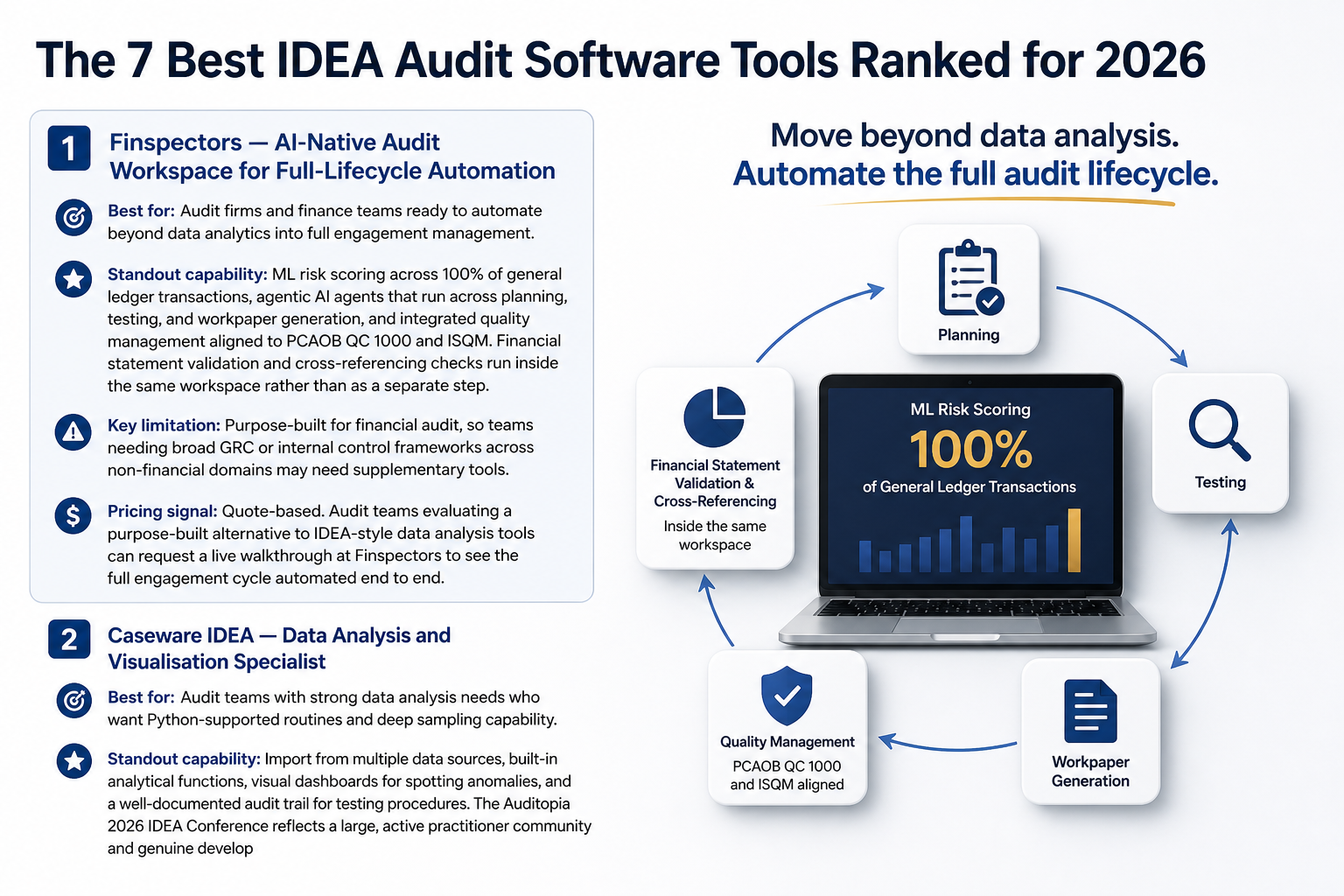
1. Finspectors — AI-Native Audit Workspace for Full-Lifecycle Automation
Best for: Audit firms and finance teams ready to automate beyond data analytics into full engagement management.
Standout capability: ML risk scoring across 100% of general ledger transactions, agentic AI agents that run across planning, testing, and workpaper generation, and integrated quality management aligned to PCAOB QC 1000 and ISQM. Financial statement validation and cross-referencing checks run inside the same workspace rather than as a separate step.
Key limitation: Purpose-built for financial audit, so teams needing broad GRC or internal control frameworks across non-financial domains may need supplementary tools.
Pricing signal: Quote-based. Audit teams evaluating a purpose-built alternative to IDEA-style data analysis tools can request a live walkthrough at Finspectors to see the full engagement cycle automated end to end.
2. Caseware IDEA — Data Analysis and Visualisation Specialist
Best for: Audit teams with strong data analysis needs who want Python-supported routines and deep sampling capability.
Standout capability: Import from multiple data sources, built-in analytical functions, visual dashboards for spotting anomalies, and a well-documented audit trail for testing procedures. The Auditopia 2026 IDEA Conference reflects a large, active practitioner community and genuine development momentum behind the platform. That community is a real asset for teams already invested in idea data analysis software capabilities.
Key limitation: IDEA is a data analysis and visualisation tool. It does not extend into workpaper generation, ML-weighted risk scoring, or engagement lifecycle management. Teams using IDEA for audit still need separate tools for those functions.
Pricing signal: Subscription-based with tiered licensing.
3. Thomson Reuters Guided Assurance — Workflow-Driven Audit Management
Best for: Firms that want structured, methodology-enforced audit workflows with built-in guidance at each step.
Standout capability: Guided assurance Thomson Reuters delivers step-by-step audit methodology embedded in the workflow, which reduces the risk of procedural gaps on complex engagements. Strong for firms standardising across multiple office locations.
Key limitation: Workflow guidance is rules-based rather than ML-driven. Risk scoring relies on auditor input rather than automated transaction analysis. Less suited to teams wanting ai for audit capability baked into the risk assessment stage.
Pricing signal: Quote-based for firms. Often bundled with other Thomson Reuters products.
4. IDEA Software for Audit by CaseWare Cloud — Cloud-First Collaboration
Best for: Multi-office audit teams that need real-time collaboration on shared data sets.
Standout capability: Cloud-native access means remote team members work on the same data environment simultaneously. Reduces version control issues that plague Excel-based workflows.
Key limitation: Analytics capability mirrors the desktop IDEA product. The move to cloud improves collaboration but does not add workpaper automation or AI-driven risk scoring. Idea accounting software users migrating from desktop should plan for a learning curve.
Pricing signal: Subscription-based with cloud hosting included.
5. Verity AI — AI-Assisted Journal Entry Testing
Best for: Internal audit teams with a specific mandate to test journal entries for fraud indicators or unusual patterns.
Standout capability: Verity AI applies machine learning specifically to journal entry AI testing, flagging entries that deviate from expected patterns across the full population. Particularly useful for SOX compliance testing and fraud risk procedures.
Key limitation: Narrow scope. Verity AI addresses journal entry testing well but does not cover broader engagement management, workpaper generation, or client communication. Teams need to fit it into a wider audit stack.
Pricing signal: Quote-based.
6. DAS Audit Software — Document and Evidence Management
Best for: Teams whose primary pain is document organisation and evidence tracking rather than data analytics.
Standout capability: DAS audit software centralises client-provided documents, tracks evidence status, and maintains a clear document trail. Reduces the inbox-scattered evidence problem that delays fieldwork completion.
Key limitation: DAS does not perform data analysis or risk scoring. It is an evidence management and document control tool, not an analytics or AI platform. Teams expecting automated testing will need additional tools alongside it.
Pricing signal: Subscription-based.
7. CaseAware — Practice Management with Audit Trail Visibility
Best for: Larger practices that need engagement-level visibility across multiple clients and staff members simultaneously.
Standout capability: CaseAware provides practice-level dashboards showing engagement status, deadlines, and sign-off progress. Useful for audit partners managing multiple concurrent engagements where oversight is the primary challenge.
Key limitation: Practice management focus means limited data analytics or AI capability. CaseAware shows where engagements stand; it does not automate what happens within them.
Pricing signal: Quote-based for firms.
Which IDEA Audit Software Actually Reduces Audit Timeline — and How to Tell
Which IDEA audit software tool reduces audit timelines the most? The tools that reduce timelines most are those that automate evidence testing and workpaper generation together. Platforms that handle data analysis but leave workpaper assembly to staff cut less time than platforms that close the loop from testing result to documented workpaper automatically.
Once you have a shortlist, validate it against real engagements rather than demo scenarios.
Run a shadow engagement on a closed file first
Take a completed engagement file and run it through the shortlisted tool from the beginning. Measure how long each phase takes compared to your actual records. A closed file removes client timing pressure and gives you a clean baseline.
Measure time-to-fieldwork-complete, not just import speed
Import speed is the metric vendors lead with because it is fast to demonstrate. The number that matters for audit timeline is how long from data receipt to fieldwork sign-off. Artificial intelligence in internal audit adds value when it compresses that window, not just the data preparation phase.
Check where sign-off bottlenecks actually live in your current process
Most timeline overruns happen at review and sign-off, not during testing. If your senior reviewers are waiting on incomplete workpapers or chasing evidence confirmation, the problem is not analytics speed. Automation of financial statements and workpaper drafting is where ai financial planning software and audit platforms create the most measurable time recovery.
IDEA Audit Software vs AI-Native Audit Platforms: When to Choose Each
| Scenario | Recommended approach | Why |
|---|---|---|
| Team runs deep data analytics on large transaction populations and needs Python flexibility | IDEA-style data analysis tool | Analytics depth and scripting flexibility outweigh lifecycle automation for this use case |
| Team rebuilds workpapers each cycle, tests samples not populations, and loses time on client communication | AI-native audit workspace | Full-lifecycle automation closes the gaps IDEA-style tools leave open |
| Team needs both advanced analytics and structured engagement management | Hybrid: IDEA for analytics, AI platform for lifecycle | Use IDEA-style tools for data analysis; use an AI platform for planning, workpapers, and sign-off |
When IDEA-style data analysis tools are still the right fit
If your engagements centre on complex data sets requiring custom analytical routines, and your workpaper process is already structured and efficient, IDEA-style tools remain the right core platform. Ai tools for finance professionals who primarily need data interrogation rather than engagement automation should not over-invest in lifecycle platforms.
When an AI-native audit workspace delivers more ROI
When workpaper rebuilds, sample-only testing, and sign-off delays are recurring problems across multiple engagements, an AI-native platform addresses root causes rather than symptoms. This is the scenario where ai audit software purpose-built for the full audit lifecycle pays back its cost within a short cycle count.
The hybrid path: IDEA for analytics, AI platform for lifecycle management
Many firms will not rip and replace. The practical path is to continue using IDEA for data-heavy analytics tasks while adopting an AI platform to manage the engagement structure around it. This avoids disruption to established analytical routines while closing the workpaper and risk scoring gaps.
Conclusion
If your current tool forces staff to rebuild workpapers at the start of each engagement or limits testing to samples rather than full populations, that is the clearest signal to put an AI-native platform on your shortlist alongside your existing idea audit software. This is a maturity progression, not a rip-and-replace exercise. Most teams will run both in parallel before making a full transition.
The risk of delaying that evaluation is concrete. Manual workpaper assembly and sample-based testing carry error exposure into every 2026 engagement. Audit quality standards are not getting looser, and client expectations for turnaround are not getting longer.
If you are evaluating IDEA audit software alternatives for your next engagement cycle, see how Finspectors automates the full audit lifecycle from risk scoring to workpaper sign-off in a 20-minute live demo. Book a Finspectors demo.